
How to Create a Shared Expense Tab for Group Trips
A practical guide to setting up a shared expense tab before your trip: what counts as shared, how to log costs in real time, how to settle without friction, and how to close out cleanly.

Every group trip starts with excitement. Then someone pays for the Airbnb, someone else covers dinner, and by day three, nobody knows who owes what. When you create a shared expense tab for your trip before you leave, you sidestep the awkward "wait, who paid for that?" moment entirely. This guide walks you through everything: what a shared expense tab actually is, how to set one up, how to keep it accurate on the road, and how to close it out cleanly when you get home.
Table of Contents
- Key takeaways
- How to create a shared expense tab for your trip
- Setting up your shared expense tab step by step
- Common problems and how to fix them
- Verifying and closing out the tab
- Choosing the right tool for your group
- My honest take on group expense tracking
- Try Tab for your next group trip
- FAQ
Key takeaways
| Point | Details |
|---|---|
| Set it up before you leave | Agree on tools, rules, and shared vs. personal costs before the trip starts. |
| Log expenses in real time | Daily expense entry with receipt photos prevents disputes and missed costs. |
| Settle mid-trip, not just at the end | Paying balances weekly reduces stress and stops debts from piling up. |
| Use smart settlement features | Apps can reduce dozens of payments down to just a few transfers. |
| Archive your records | Export or save your final tab so you have a reference if questions come up later. |
How to create a shared expense tab for your trip
A shared expense tab is a single record where every group cost lives. One person pays for something, it gets logged, and the tab tracks who owes whom. At the end of the trip, everyone settles up based on what the tab says. No memory required.
Before you set anything up, your group needs to agree on a few basics.
What counts as a shared expense?
Not everything splits equally. Here is a quick breakdown of what typically goes on the tab versus what stays personal:
- Shared: Accommodation, group meals, rental cars, fuel, group activities, shared groceries
- Personal: Individual souvenirs, solo meals, personal transport, room service
Getting this list agreed on before you travel is not just helpful. It is the difference between a smooth trip and a tense one. Upfront money conversations prevent awkward moments and conflicts later, according to etiquette experts who recommend using simple scripts to open these discussions.
Assigning a treasurer
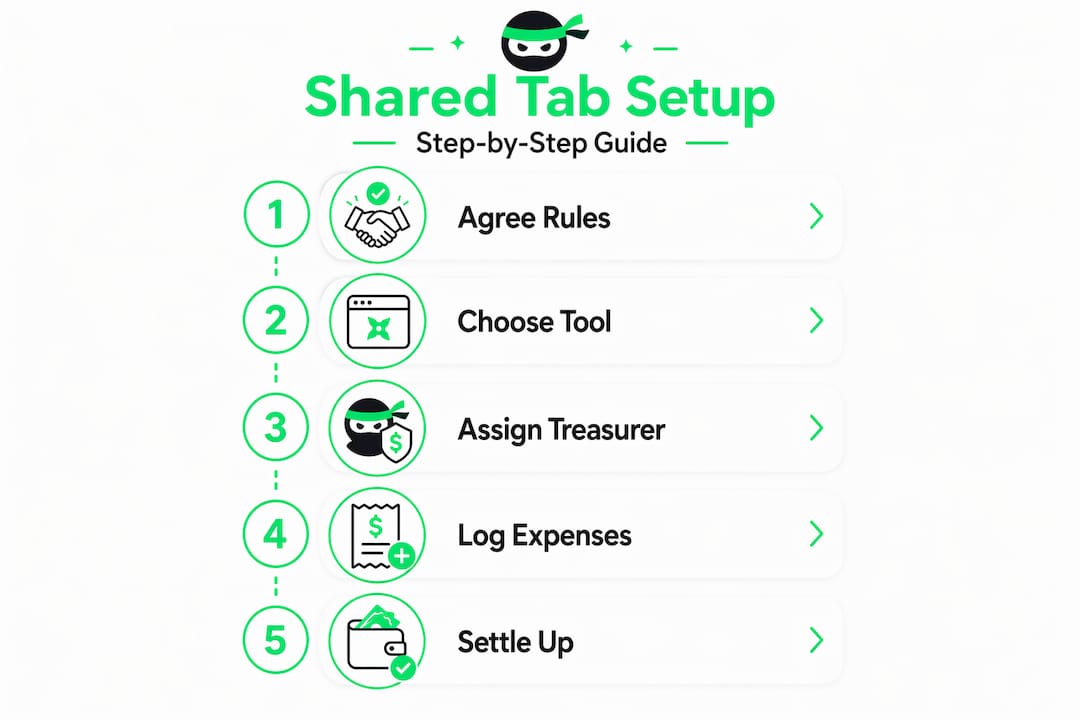
For groups of four or more, designating one person to manage the tab makes a real difference. This person does not pay for everything. They just make sure expenses get logged and remind the group to check the tab regularly. Rotate the role on longer trips if you want to share the responsibility.

Choosing your tool
You have two main options: a dedicated expense app or a shared spreadsheet. Apps handle the math automatically and work well for groups with mixed tech comfort levels. Spreadsheets give you total control but require someone to maintain formulas. More on both options later in this guide.
Pro Tip: Before the trip, send a quick message to the group with three things: the tool you will use, what counts as a shared expense, and how often you will check in on the tab. That single message prevents 90% of the confusion.
Setting up your shared expense tab step by step
Whether you go with an app or a spreadsheet, the setup process follows the same logic. Here is how to do it right.
Using an expense app
- Create a group. Apps like Tab let you set up a group and invite members by sharing a link. Nobody needs to create an account to join, which removes a huge barrier for less tech-savvy travelers.
- Name your trip. Give the group a clear name like "Barcelona Trip June 2026" so everyone knows what they are looking at.
- Set your default currency. For international trips, choose the primary currency. Good apps support multi-currency splits so you can log expenses in local currencies and settle in your home currency.
- Add your first expense. Enter the date, a short description, who paid, the total amount, and how it splits. Most apps let you choose equal splits, percentage splits, or exact amounts per person.
- Attach a receipt photo. Attaching receipt photos while logging expenses creates a transparent record that nobody can dispute later.
- Share the tab link with the group. Everyone should be able to see the running balance at any time, not just the person managing it.
Using a Google Sheets tracker
If your group prefers a spreadsheet, set up columns in this order: Date, Description, Category, Paid By, Amount, and Split Type. A well-built Google Sheets tracker uses a formula like =SUMIF(Expenses!F:F, A5, Expenses!D:D) - (SUM(Expenses!D:D)/4) to calculate each person's net balance automatically.
The downside? Someone has to maintain it. If formulas break or entries get entered incorrectly, the whole thing falls apart.
| Method | Best for | Effort required |
|---|---|---|
| Expense app | Groups of 3 or more, international trips | Low |
| Google Sheets | Tech-comfortable groups, custom categories | Medium |
| Pen and paper | Very small groups, simple trips | High (at settlement) |
Pro Tip: Log every expense the moment it happens, not at the end of the day. Memory fades fast when you are having fun. A 10-second entry right after paying saves a 30-minute argument later.
Common problems and how to fix them
Even with a solid system, things go sideways. Here is what to watch for and how to handle it.
Forgotten expenses
Cash purchases are the biggest culprit. Someone pays for parking in coins and never logs it. The fix is simple: make a group rule that cash expenses get logged immediately, even if the receipt is just a photo of the amount written on your hand.
- Assign the treasurer to do a quick daily check-in, asking if anything was missed
- Keep a running note on your phone for cash items if logging immediately is not possible
- At the end of each day, spend two minutes reviewing the tab as a group
Unclear splits
Not every expense divides equally. If two people skipped dinner, they should not split the restaurant bill. Most apps let you choose who is included in each expense. Use that feature every time instead of defaulting to equal splits across the board.
Someone cannot pay right away
This happens. A group member might be short on cash or waiting on a bank transfer. The worst thing you can do is add interest or pressure that feels punitive. Avoiding penalties and agreeing on a manageable payment plan protects the friendship far better than chasing the debt aggressively.
Settling expenses mid-trip or weekly prevents resentment and forgotten debts from building up by the end of the trip. Groups that check in regularly report far less financial friction at settlement time.
Pro Tip: Do a mid-trip settlement on longer trips. Even a partial payoff keeps balances small and the mood light. Nobody wants to owe a large sum to a friend at the airport.
Verifying and closing out the tab
The last day of the trip is not the time to discover a $200 discrepancy. Here is how to close out your shared expense tab cleanly.
- Review every entry together. Pull up the tab as a group and scroll through each expense. Ask if anything looks wrong or missing before you start settling.
- Check the totals. Compare the total amount logged against what you know was spent. If the numbers feel off, look for duplicate entries or missing cash expenses first.
- Confirm who owes whom. Most apps show a simplified settlement view. Review it together so everyone agrees before money moves.
- Record payments as they happen. When someone pays, mark it in the app immediately. Do not rely on memory or text messages to confirm settlements.
- Export or archive the tab. Save a PDF or screenshot of the final balances. This is your reference if a question comes up two weeks later.
Here is a quick comparison of how to handle settlements at different stages of the trip:
| Settlement timing | Pros | Cons |
|---|---|---|
| Mid-trip (weekly) | Keeps balances small, reduces stress | Requires coordination during the trip |
| End of trip | One-time process, clean finish | Balances can feel large, more room for disputes |
| Post-trip (days later) | Flexible for everyone's schedules | Debts can be forgotten or disputed |
The etiquette here matters too. Give people a clear deadline for paying, suggest a specific payment method, and send a friendly reminder rather than a demand. Tone makes a big difference when money is involved.
Choosing the right tool for your group
Apps versus spreadsheets is not a one-size-fits-all question. It depends on your group size, trip complexity, and how comfortable everyone is with technology.
Apps like Tab, Splitwise, Splid, and PartyTab all offer real-time logging and auto-calculations that can reduce manual admin work by up to 90%. They support equal, percentage, and usage-based splits. They also include smart settlement features that calculate the minimum number of transfers needed to settle all debts. What would otherwise require a dozen payments between six people often reduces to three or four.
Spreadsheets offer flexibility. You can build custom categories, add notes, and format everything exactly how you want. But they require someone with enough spreadsheet knowledge to keep the formulas working, and they do not send reminders or track settlements automatically.
When to use an app:
- Groups of three or more people
- International trips with multiple currencies
- Anyone who wants automatic settlement calculations
- Groups where not everyone is comfortable with spreadsheets
When to use a spreadsheet:
- Small groups of two to three people
- Simple domestic trips with mostly equal splits
- Groups where one person is happy to manage the math manually
For most group travelers, a dedicated app wins on simplicity and accuracy. The free Splitwise alternative space has grown significantly, so you do not need to pay for premium features to get a solid experience.
My honest take on group expense tracking
I've seen more group trips go sideways over money than over any other issue. And almost every time, the problem was not the tool. It was the conversation that never happened before the trip started.
In my experience, the groups that handle expenses best are not necessarily using the fanciest app. They are the ones who spent ten minutes before the trip agreeing on what counts as shared, who is tracking it, and when they will settle. That conversation is worth more than any feature set.
What I've learned from watching groups struggle is this: people are not upset about the money itself. They are upset about the feeling that someone is not pulling their weight or that they are being taken advantage of. A shared tab makes everything visible, and visibility kills that feeling before it starts.
My take on settlement timing is strong. Do not wait until the airport. I've watched friendships get strained over a $40 balance that felt much bigger after a week of silently accumulating. Settle weekly on longer trips. It takes five minutes and saves a lot of emotional weight.
The tools today are genuinely good. Tab, in particular, gets the no-signup approach right. Not everyone in your group wants to create an account just to see what they owe. Removing that friction means people actually use the system instead of ignoring it.
- Seb
Try Tab for your next group trip
Managing shared costs does not have to be the most stressful part of traveling together. Tab was built specifically for this situation: a group of people, a pile of shared expenses, and zero desire to do complex math or chase anyone through group chats.
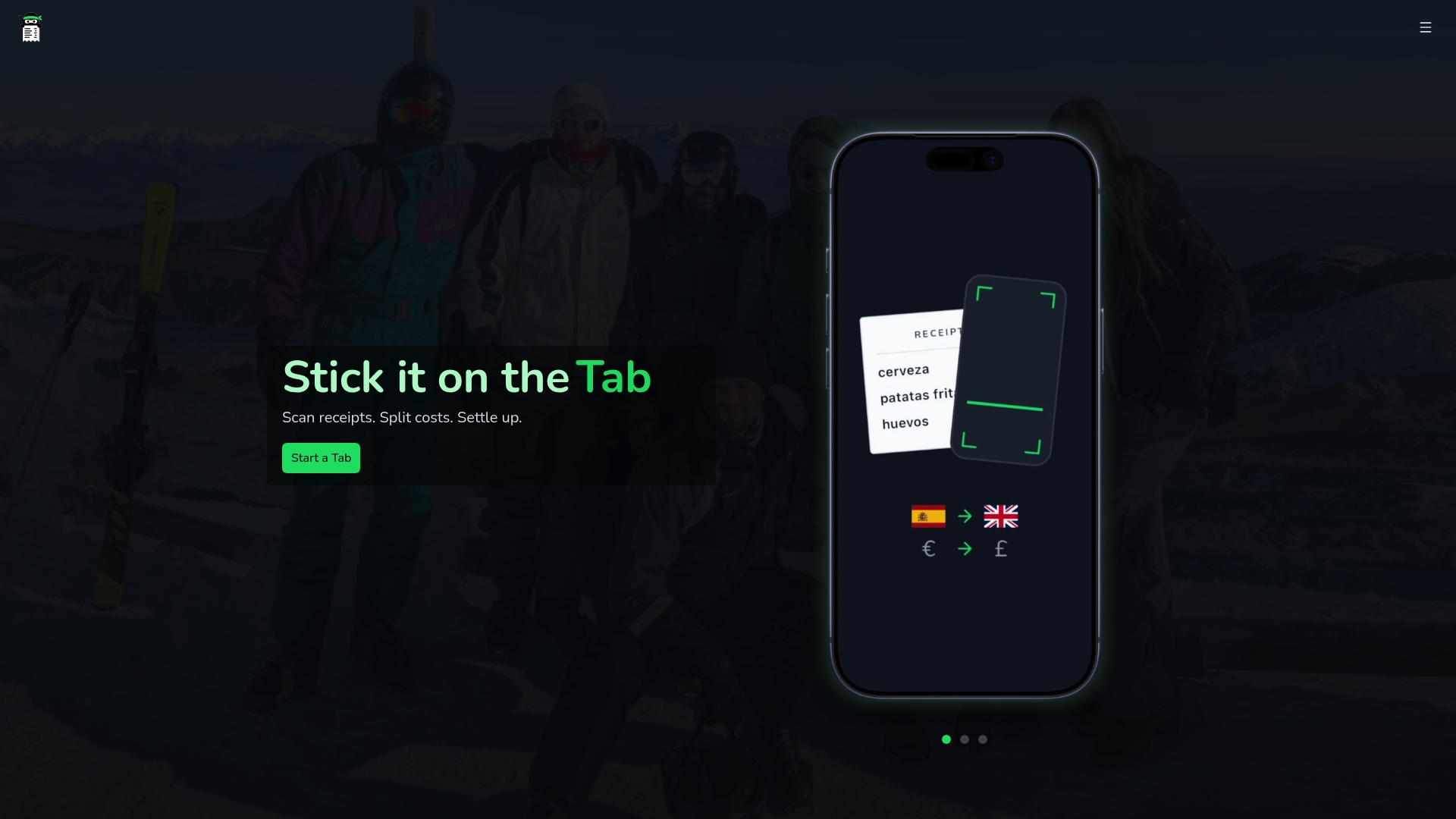
With Tab, you create a shared tab in seconds, scan receipts to log expenses instantly, and let the app calculate the fairest way to settle with the fewest payments possible. Nobody needs to sign up. Multi-currency support means international trips are just as easy as local ones. And the smart settlement feature does the heavy lifting so you are not manually figuring out who owes what to whom.
Whether you are planning a weekend road trip or a two-week international adventure, Tab keeps everyone on the same page without the chaos. Start a free tab before your next trip and see how much smoother group travel can be.
FAQ
What is a shared expense tab for a trip?
A shared expense tab is a central record where all group costs are logged during a trip, tracking who paid and what each person owes so the group can settle up fairly at the end.
What is the easiest way to split trip expenses in a group?
Using a dedicated expense app is the easiest method. Apps handle the math automatically, support multiple split types, and calculate the minimum number of payments needed to settle all debts.
How do you track shared expenses on an international trip?
Choose an app with multi-currency support so you can log expenses in local currencies and settle in your home currency. Tab and similar tools handle currency conversion within the same tab.
When should a group settle shared trip expenses?
Settling mid-trip on a weekly basis is ideal for longer trips, as it keeps balances small and reduces end-of-trip stress. For short trips, a single settlement on the last day works well.
Do all group members need to sign up to use an expense app?
Not always. Tab allows members to view and participate in a shared tab without creating an account, which removes the biggest barrier to getting everyone on the same system.